Journal · Field notes ·
How this site is lit
The FIG website follows the real sky: the sun, the moon, and the mountains that take the light away. Notes on the astronomy, the shader and the decisions behind them.
By Gabriele Masetti · FIG


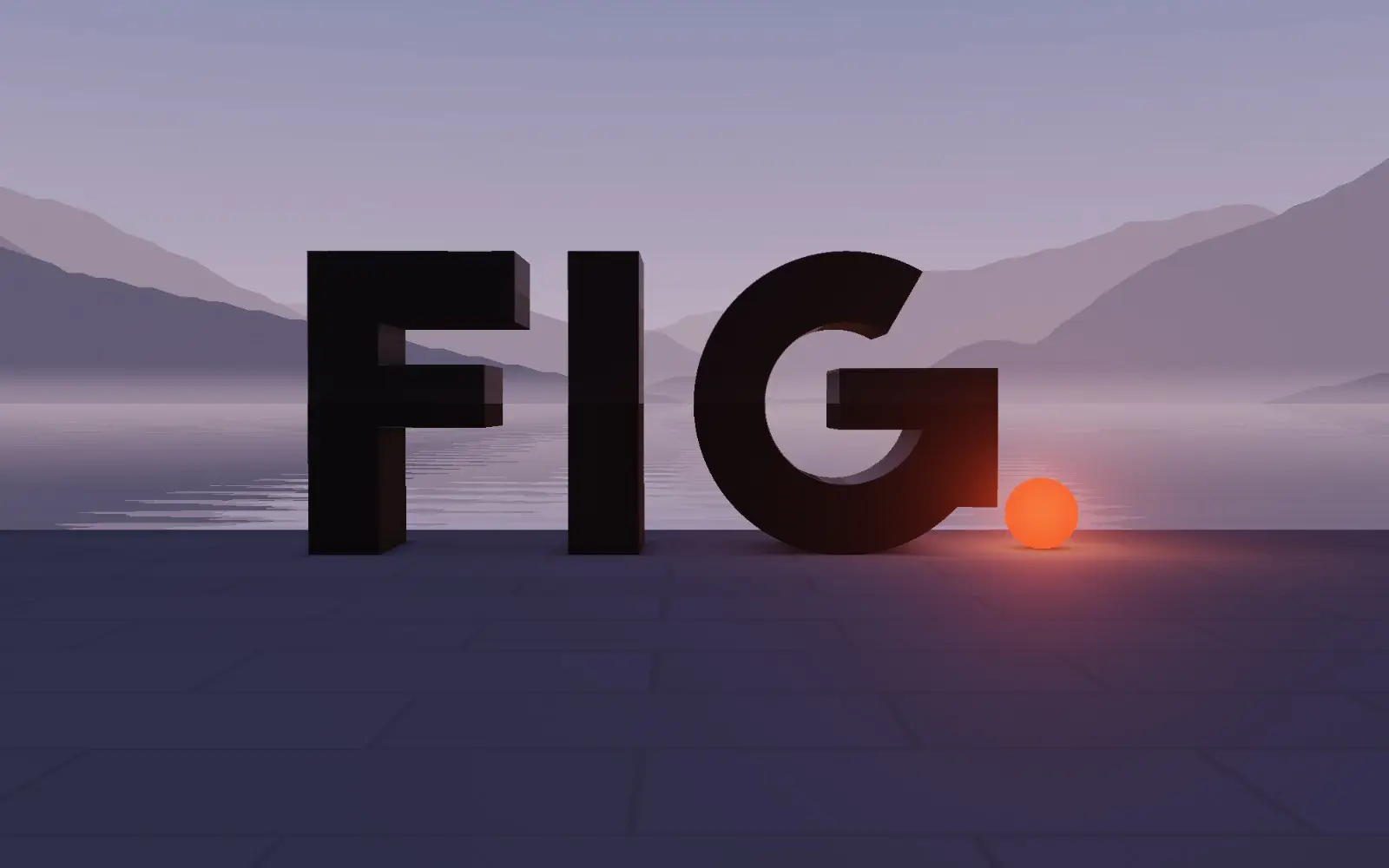
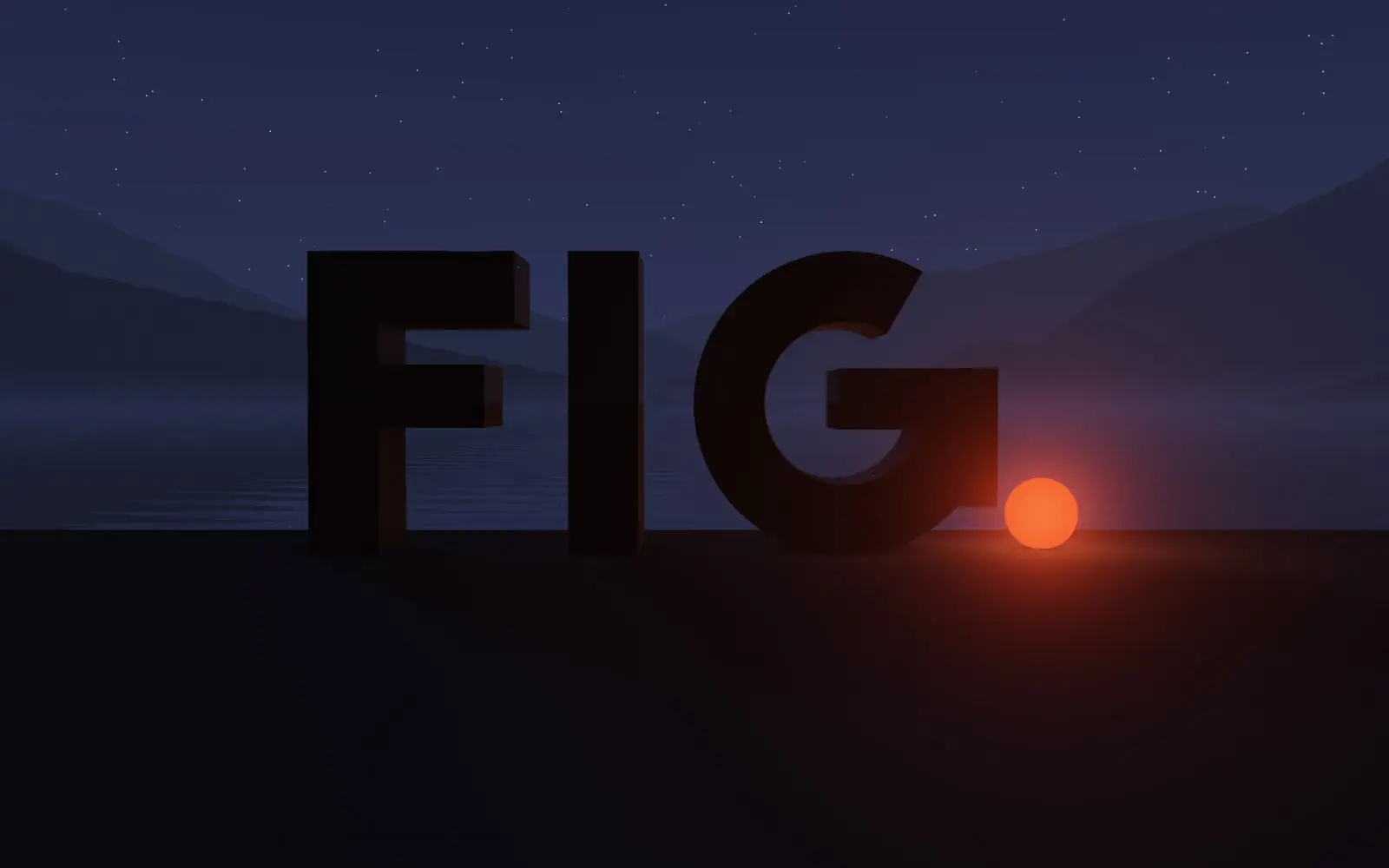
Open this website at noon and the cards on the page cast short shadows. Open it at four on a November afternoon and you can watch the sun drop behind the mountains above Bellagio — and the shadows on the page go with it. Open it late in the evening and the front page has turned to night; the period of the logotype has become a lamp, and when the moon is in that part of the sky it is drawn where it really is, in its real phase. None of this is a theme: it is the sky over Lake Como, computed for the hour on your own clock: noon for whoever opens the site at noon, wherever they are.
These are the notes on how it works.
A few lines of astronomy
The position of the sun is a solved problem. The low-precision formulae used in almanacs give its elevation and azimuth to a fraction of a degree from three inputs: a latitude, a longitude and a moment in time. Ours are fixed — Bellagio, 45.986° north, 9.262° east, where the three branches of the lake meet — and the moment is the reader’s hour of the day, taken as an hour at the lake.
// days since noon, 1 January 2000 (UTC)
const d = (date - Date.UTC(2000, 0, 1, 12)) / 864e5;
const g = 357.529 + 0.98560028 * d;           // mean anomaly
const q = 280.459 + 0.98564736 * d;           // mean longitude
const L = q + 1.915 * sin(g) + 0.02 * sin(2 * g); // ecliptic longitude
// …declination and right ascension, the local hour angle, then elevation and azimuth
The moon takes a few more lines — the simplified lunar theory that the open-source suncalc library uses — and gives its position and how much of its disk is lit.
The computation runs in a small inline script in the head of every page, before anything is drawn, so the first paint is already in the right light. It sets two things: the length and direction of shadows, and the phase of the day — day, golden hour, blue hour or night — which chooses the stills of the scene.
Real mountains
The mountains behind the letters are not drawn by hand. Their outline comes from public elevation data — the Terrain Tiles hosted on AWS, at roughly fifty metres per pixel at this latitude — read along a ray every half degree of the compass, out to forty-two kilometres from the shore at Bellagio, with the curvature of the Earth and atmospheric refraction taken into account. Each direction keeps the highest angle in four distance bands, near to far, so the shader can draw the ridges as layers of haze. The whole skyline weighs 2,880 bytes.
That outline also decides when the light goes. On 17 November 2026 the sun drops behind the mountains at 16:18. Sunset proper comes half an hour later, at 16:50 — by then the quay has long been in shadow, and so have the cards on these pages.
Shadows from an azimuth
A card on a screen has no height, so its shadow is a convention — but a convention can follow the sky. The page is treated as if seen like the scene on the front page, looking west-south-west across the lake: a midday sun in the south throws shadows to the right, a sun setting ahead throws them toward the reader. The length grows with the cotangent of the sun’s elevation and is capped, so that a low winter sun lengthens shadows without turning the page into a sundial. When the sun is behind the mountains, the shadows fade out.
A logotype as a sculpture
The scene on the front page is one WebGL fragment shader, written for this site, with no 3D library. Each letter of FIG is described as a signed distance field — boxes and a ring, the same geometry as the flat logotype — and extruded into a solid:
vec2 w = vec2(glyphs(p.xy), abs(p.z) - 0.42);
float letters = min(max(w.x, w.y), 0.0) + length(max(w, 0.0));
A ray is marched from the camera into that field; where it lands, the surface is lit by the sun with a soft shadow and a little ambient occlusion. The quay is not marched at all: it is intersected analytically, which removed the streaks that rays skimming a plane at grazing angles produce. Beyond its edge the lake is a mirror of the sky and the mountains, broken by slow ripples and fading into mist toward the far shore. The sky carries the sun, the moon — lit on the side that faces the sun — and, after dusk, the stars. The period of the logotype is a sphere that, after sunset, becomes a lamp.
The day as an interface
The scene opens on the present moment. Scroll, and the walk past the work is also a time-lapse: the day runs on from now to the next night — the afternoon and the sunset if you arrive by day, the whole day to come if you arrive at night — and the clock and the sentence about the light follow. Two moments matter more at Bellagio than sunrise and sunset: when the sun clears the mountains and when it goes behind them. The first time you open the page, the scene runs the last six hours of light in under three seconds and stops at the present.
A walk past the work
The front page does not end with the logotype. Scrolling walks the camera along the quay, past the studio’s work: each project stands on the waterfront as a lit screen showing its real front page, in the same light as the letters. By day the screens cast their shadows on the stone; after dark they are the light, and their glow falls on the paving in front of them. Each pause in the walk names the project; a click on the screen opens its case study, and the screen grows into the cover of the page that opens. The camera is the shader’s own, recomputed in JavaScript, so the page always knows where each screen is drawn.
Fast by default
A scene like this can cost a phone its battery. Ours renders only when something changes: the reader moves, scrolls, or thirty seconds pass and the real sky has moved. Each frame is timed, and the resolution adapts to keep it under about twenty milliseconds. The scene stops when it is off screen.
Before it starts — and wherever WebGL is not available — a still image stands in, chosen for the current phase of the day: daylight, golden hour, blue hour or night. The headline and the description are ordinary HTML on top of it, so the page is readable before a single pixel of the scene is drawn. Everything the front page runs — astronomy, skyline, shader, the walk and the interface — is about 17 KB of compressed JavaScript; the screens of the work come as a single image in two sizes — 232 KB for phones, 373 KB for larger screens — and only the one a screen can show is fetched, when the scene starts.
Light for every reader
Readers who ask their system for reduced motion get the scene as a still frame of the present moment: no opening sequence, no parallax, no walk — the work is shown as a grid. Over the scene, the type switches between dark and light ink according to the brightness of the sky and of the quay at that moment; measured on the rendered pixels at twelve hours of the day, it never drops below 4.5:1. The pages keep text contrast above 6:1.
The pages themselves are always dark. The light of the day is in the scene, in its stills and in the shadows: a dark page lets them be the brightest thing on it.
Why do it at all
Because the work it introduces is about time: newsrooms that file around the clock, maps that follow the sun. A studio that designs systems which keep running should have a front door that is running too — and that tells the truth about the hour.
To see the site at any hour, add ?t= and a time to any address: noon, the sun on the ridge, night.
Elevation data: Terrain Tiles on AWS. Europe terrain data produced using Copernicus data and information funded by the European Union – EU-DEM layers; SRTM and GMTED2010 terrain data courtesy of the U.S. Geological Survey; ETOPO1 terrain data, U.S. National Oceanic and Atmospheric Administration.